How to design your Vajda boat
Paint your slalom or sprint kayak or canoe with RAL colours, custom tips and stripes, and order it with your design attached. Here is how, step by step.
Start designing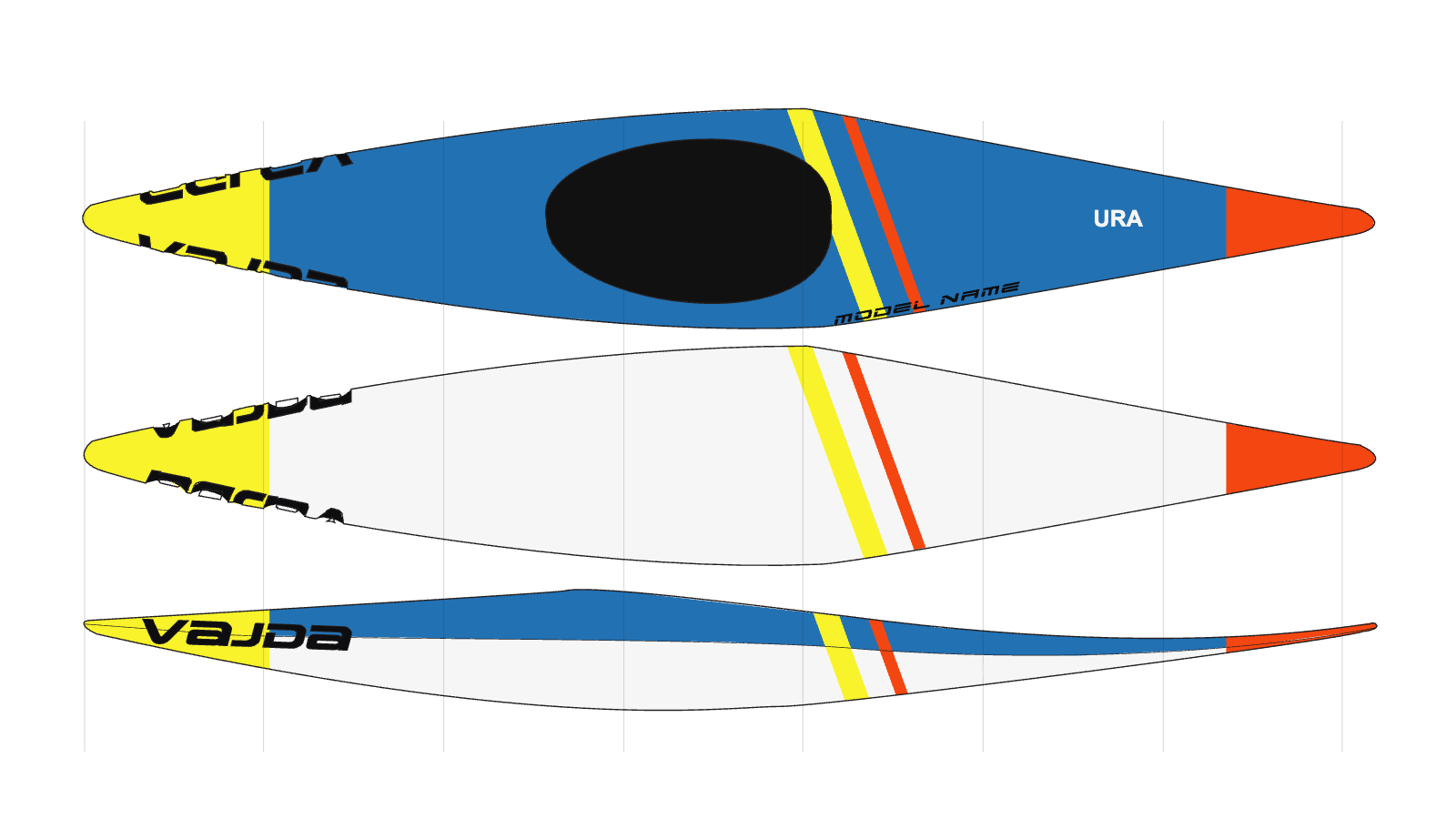
Step by step
Choose discipline and boat
At the top of the designer choose Slalom or Sprint, then the boat: K1 or C1 in slalom; K1, K2, K4, C1 or C2 in sprint.
Paint deck and hull
Select a zone (deck, hull or their colour 2) and click a RAL colour. You will see the change at once in the deck, hull and side views.
Custom tips and stripes
Turn on the bow or stern tip and set its length in millimetres. Add as many stripes as you like, each with its own position, width, angle and colour.
Logos, text and shapes
Choose the colour of the Vajda logos, write your name or your club's, and add shapes or glitter wherever you like.
Check on a white or black background
Switch the image background to white or black to see light or dark colours clearly before you finish.
Order your boat
Click «Order this boat». On the product page choose model, construction and size, and under colour design select «My design (attached as PDF)». Your design is attached to the order.
Tips
- RAL colours on screen are approximate: the final colour is the one on the RAL chart.
- Your design is saved in this browser: you can close the page and carry on later.
- Questions? Write to us before ordering and we will review the design with you.